

Plans and Pricing
Plans and Features
Glide offers five plans: Free, Explorer, Maker, Business, and Enterprise. Each plan has its own set of features that cater to different needs and requirements. To compare features and limits on all four plans, visit our pricing page.
How to Upgrade Your Plan
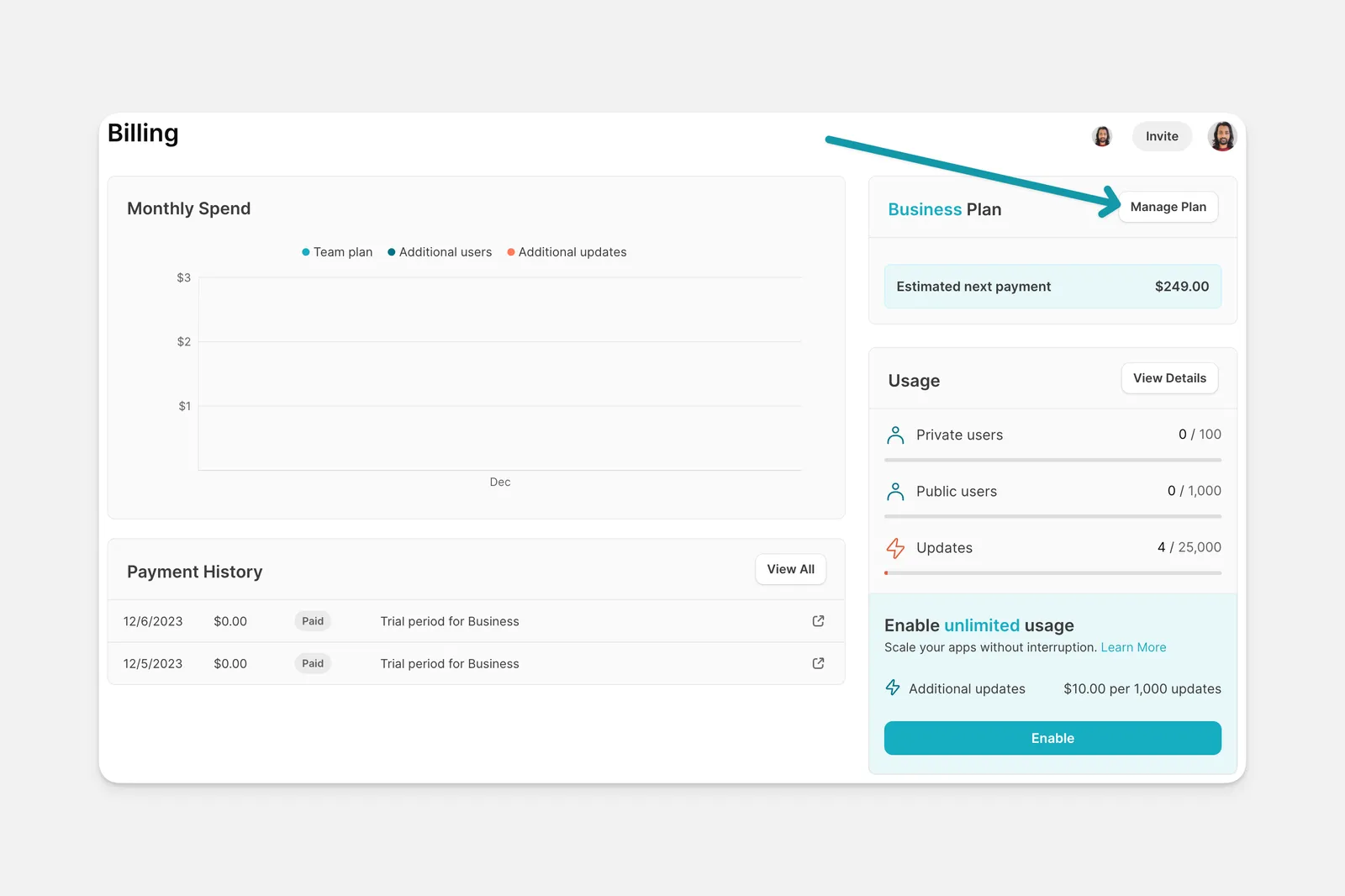
To upgrade your plan, log in to your Glide account and open the Billing menu. On the upper right, select Manage Plan and choose which plan to upgrade to.
Frequently Asked Questions
Can I pay for more updates?
Yes, if you have a paid plan, you can enable Unlimited usage. If you’re on a free trial and want to activate unlimited updates, you can cancel the trial before it ends. Ending early will activate unlimited usage immediately, reset your usage cycle, and charge your payment method right away. Read more here.
Do you offer special pricing for non-profits and schools?
No, but our Maker plan allows for unlimited users from education and personal domains. If you need to follow a software approval process before adopting Glide, we’re happy to discuss a custom Enterprise plan for your organization. You can review our plans here.
I would like to cancel my Glide subscription.
You can read more about how to cancel or change your subscription here.
What are boosts?
Boosts were paid add-ons to increase the capacity of your apps. They are no longer available for purchase.
I have a Legacy plan. Where can I review details about it?
Users who are on a Legacy plan from prior to January 17, 2024 can review details of those plans there.
What if members of my team don't have an email that qualifies as a personal user?
Members of a team on Free and Maker plans will still be able to log in to apps, regardless of their email domain.