QuickBooks is the go-to accounting software for millions of small and medium-sized businesses. It handles the essential functions, like tracking income and expenses, managing invoices, and reconciling bank accounts, with a reliability that businesses depend on. But as companies grow and operations become more complex, the limitations of QuickBooks start to show.
The mobile app struggles with slow performance and crashes. Generating custom reports requires manual exports and spreadsheet gymnastics. Field teams resort to paper receipts because entering expenses on their phones is cumbersome. Multi-level approval workflows don't exist natively. And every additional user comes with a recurring cost that adds up quickly.
This is where Glide can level up how businesses use QuickBooks. By building custom no-code apps that integrate seamlessly with QuickBooks data, you can create mobile-first tools tailored to exactly how your team works, without writing a single line of code or waiting months for developers.
You can create flexible, mobile-adaptive interfaces that are better suited to your actual day-to-day work, backed up by the power of QuickBooks as the centralized financial system of record. Using the QuickBooks integration, you can build apps like expense tracking with receipt scanning, invoice approvals, vendor portals, custom financial dashboards, and budget tracking.
Here's how you can make your QuickBooks data work better for your finance and operations teams with Glide.

Why connect QuickBooks to a custom Glide app?
Glide is a no-code platform that lets anyone build powerful custom apps through a visual, drag-and-drop interface. No programming knowledge required. Finance managers, operations leads, and business owners can create sophisticated apps in hours instead of months.
QuickBooks is designed primarily for accountants and bookkeepers working at desks. While it excels at core accounting functions like managing the general ledger, reconciling bank accounts, and generating financial statements, it's not optimized for field workers capturing expenses on the go, managers who need quick budget visibility, or teams that need custom approval workflows. Pairing the two tools gives you the best of both worlds. QuickBooks provides a strong financial engine and a single source of truth for your accounting data, while Glide offers a nimble, user-friendly front-end for interacting with that data.
When your tools are easy to use in the field, you’re more likely to get complete financial data more quickly. Glide uses adaptive design to ensure every app works seamlessly on any device. Your team gets streamlined interfaces that feel natural to use on smartphones, tablets, or computers.
You gain more ability to add custom AI and automation to your QuickBooks data, interconnect it more deeply with your other software and spreadsheets, and customize your workflows to meet your exact specifications.
Challenges with QuickBooks that custom no-code apps can help overcome
According to Intuit's Small Business Insights survey of 5,000 businesses, 35% report challenges with a lack of integration between their digital tools, while 11% cite manual processes as their biggest challenge in making timely payments. These real-world pain points illustrate why businesses need better tools built on top of QuickBooks:
- Manual data entry consumes valuable time: Employees photograph receipts, but then have to manually type details like vendor name, amount, date, category, and project code into QuickBooks. Vendors email invoices that someone must manually convert into bill records. Field teams document expenses on paper for office staff to transcribe later. This duplicate work is tedious, error-prone, and keeps finance teams focused on data entry instead of strategic analysis.
- Mobile experience that frustrates users: QuickBooks' mobile apps (QuickBooks Online Mobile and QuickBooks Workforce) are designed for basic tasks like viewing reports, not the complex workflows field teams need. Users consistently report the apps freezing mid-transaction, failing to sync properly, getting stuck on welcome screens, and performing poorly with weak network connections. Which is exactly when mobile teams need them most.
- User restrictions that create bottlenecks: As businesses grow, QuickBooks' user limits become a major constraint. You need to give 15 project managers budget visibility, 25 field workers expense submission access, and 8 department heads financial dashboards. But you're limited to 5 users on Plus or 25 on Advanced. The workarounds, like sharing login credentials (security risk) or manually pulling reports for people (time waste), create inefficiency and data bottlenecks.
- Standard reports that don't match business needs: QuickBooks provides dozens of canned reports, but businesses often need custom views that combine financial data with operational metrics. You want to see project costs against completion percentages, revenue by location with foot traffic data, or vendor spending alongside quality scores. Creating these views requires manual exports, spreadsheet formulas, and time-consuming data consolidation.
- Missing approval workflows: QuickBooks Online lacks built-in approval processes for bills, expenses, or purchase orders. If you need manager approval for expenses under $500, director sign-off between $500-$5,000, and CFO authorization above $5,000, you're implementing this through email chains with no audit trail. Many businesses resort to purchasing expensive third-party add-ons just to get basic approval functionality.
- Integration gaps that fragment data: While QuickBooks integrates with many applications, these integrations often require manual configuration, don't sync in real time, or require periodic exports and imports. Financial data lives in QuickBooks, customer relationships exist in your CRM, and project details reside in management software, with no easy way to see the complete picture in one place.

Benefits of integrating QuickBooks with Glide
Connecting QuickBooks to custom Glide apps delivers measurable improvements across finance, operations, and management functions:
Eliminate manual data entry and save time across teams
The biggest win from QuickBooks-Glide integration is eliminating repetitive manual work. Instead of photographing receipts and then typing all the details into QuickBooks, employees can use a Glide app with AI-powered receipt scanning that automatically extracts vendor name, amount, date, and category, and then creates the expense record in QuickBooks with one tap. Instead of manually entering vendor invoices line by line, you can build an invoice capture app that uses OCR technology to pull data from PDF invoices and route them through approval workflows before syncing to QuickBooks.
The main benefit we get out of Glide is the ROI of time saved.We were able to put together apps that streamline our processes very quickly and they’ve helped our staff to be more productive. We now have more efficient processes that people can use quickly and easily. They can capture information that goes back into our systems without a lot of extra effort.
Ron Heims, Director of Practice Innovation, RDG Planning & Design
Build mobile-first experiences that actually work in the field
QuickBooks' mobile apps have well-documented problems with syncing, freezing, and limited functionality. Glide apps are mobile-responsive by default and designed from the ground up to work offline and sync when connectivity is restored. You can build a field expense tracking app that lets construction workers photograph receipts on job sites, categorize costs to specific projects, and have everything sync to QuickBooks when they're back in network range.
Your interface can be streamlined for ease of use, presenting only the necessary fields for a given task. A field technician app might show just today's jobs, a simple expense entry form with photo upload, and project budget status. This is much more user-friendly than navigating QuickBooks on a phone. This improved mobile experience leads to better data quality, as users are more likely to record expenses promptly and accurately when it's easy to do so.
Capture better financial data at the source
One of the most powerful benefits is improving data quality by capturing information immediately when expenses occur. When field workers can photograph receipts and log job costs right at the work site with AI extracting the data, information is captured completely and accurately. When vendors can submit invoices through a portal with structured fields, data enters your system in the right format. When sales teams can create quotes and invoices on mobile devices while meeting with customers, information flows instantly to QuickBooks.
This real-time data capture means better accuracy in your books, more timely financial reporting, fewer month-end reconciliation headaches, and the ability to make decisions based on current information rather than outdated data.
Create custom approval workflows tailored to your business
QuickBooks doesn't have built-in approval workflows for bills and expenses. You need expensive third-party add-ons to get this functionality. With Glide, you can build exactly the approval process your business needs. Route invoices based on amount thresholds (under $500 auto-approved, $500-$5,000 needs manager approval, over $5,000 needs CFO sign-off). Create department-specific approval chains. Require multiple sign-offs for capital expenditures. Add conditional logic (vendor invoices from approved vendors go straight through, new vendors require additional verification).
These workflows live in your Glide app with full audit trails of who approved what, when, from which device, with what comments. Once approved, data flows seamlessly into QuickBooks as properly authorized bills ready for payment scheduling. You gain control and compliance without purchasing workflow add-ons or implementing complicated middleware.
Build custom reports and dashboards that match your needs
QuickBooks provides standard financial reports, but businesses often need custom views that combine financial data with operational metrics. With Glide, you can build dashboards that pull data from QuickBooks alongside information from project management tools, CRMs, inventory systems, or custom spreadsheets. alongside information from your CRM, project management tools, inventory systems, and operational spreadsheets.
A construction company might want to see project costs from QuickBooks alongside project completion percentages, weather delays, and subcontractor performance scores. A retail business might want revenue by location from QuickBooks, combined with foot traffic data, inventory turnover, and customer satisfaction ratings. These unified dashboards give leadership a complete picture of business performance without manually consolidating multiple reports.
Gain customization and agility without consultants or developers
QuickBooks customization typically requires expensive consultants charging hundreds per hour or long waits for developer resources. Glide is a no-code platform that enables your finance team to create and modify apps themselves. If your business process changes, you can update your Glide app yourself in hours, not weeks. If you need to add a new approval layer, change your expense categories, or need to track additional project dimensions, that change is easy to make.
This agility is invaluable for growing businesses. Your financial tools can evolve as quickly as your operations do, without budget battles or project timelines. When a department head says, "I wish I could see our spending broken down by vendor and project at the same time," your operations team can build that view by Friday.
We've built apps of varying size, varying scale, varying complexity for different departments in the business. They talk to a lot of third-party tools through integrations, and we use Glide to sit in the middle and centralize their processes. The goal is that it works so well that the technology actually disappears into the background. It's just happening automatically.
Oscar Brooks, Glide Expert Consultant, BW: Workplace Experts
Key use cases for Glide and QuickBooks
Glide and QuickBooks together can support a variety of financial and operational workflows. Here are some of the most common and impactful use cases:
Mobile expense tracking and receipt management
One of the most powerful use cases is creating a mobile expense tracking app that eliminates manual data entry entirely. Employees photograph receipts with their phones, and the app uses AI (via services like OpenAI or Google Cloud Vision) to extract merchant name, amount, date, and category information. The app can pull in project codes or customer jobs from QuickBooks, making it easy to allocate expenses correctly to the right project or cost center.
Once submitted, the expense data flows automatically into QuickBooks as an expense or bill record, complete with the receipt image attached. Managers can review and approve expenses through the same mobile app. The data syncs in real-time to QuickBooks, keeping your books current for reporting and reconciliation. This streamlined expense workflow can save finance teams dozens or hundreds of hours per month while improving data accuracy and timeliness—employees are more likely to record expenses promptly when they can do it in seconds on their phone.
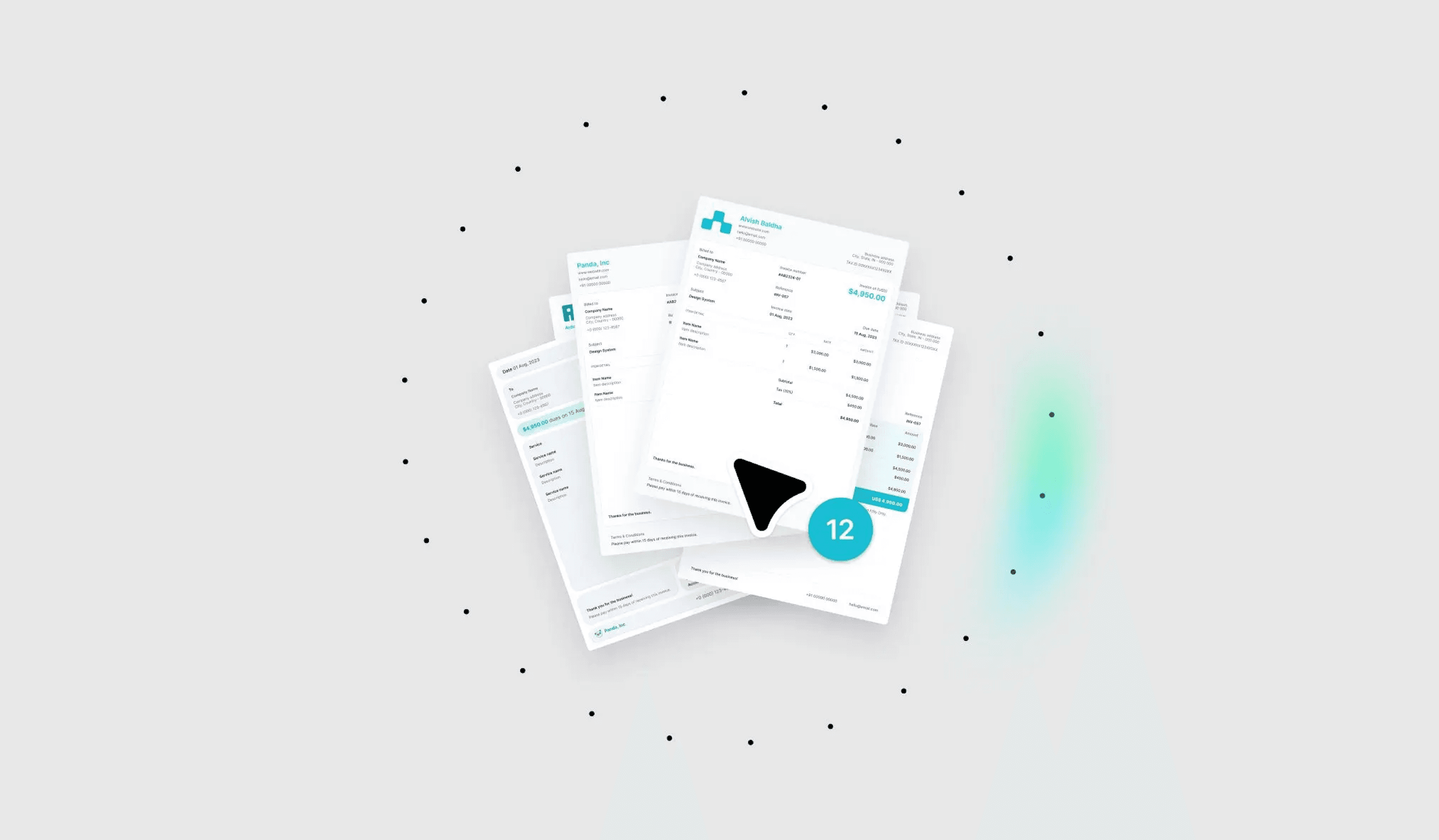
Automate invoice processing with AI & Glide
Try itInvoice processing and accounts payable automation
For businesses that receive many vendor invoices, a Glide app can streamline the entire accounts payable process. Vendors can submit invoices through a portal by uploading PDF invoices or filling in structured forms. The app can use AI to automatically extract key information from invoice PDFs, like vendor name, invoice number, date, line items, amounts, and payment terms, and populate QuickBooks bill fields.
The app can route invoices through custom approval workflows based on amount, vendor, department, or project. Approvers receive notifications and can review and approve invoices from their phones, even when away from the office. Once approved, the invoice data flows into QuickBooks as a bill, ready for payment scheduling. Some businesses even integrate payment processing, so once bills are approved in the Glide app, they're paid via QuickBooks Bill Pay or ACH—creating a completely touchless accounts payable workflow that reduces processing time from 10+ days to just 2-3 days.
Job costing and field service expense tracking
For construction, field service, or project-based businesses, tracking job costs in real time is critical to profitability. A Glide app can allow field technicians to log time, materials, and expenses directly from the job site. The app displays active customer jobs from QuickBooks, shows budget-versus-actual costs for each project, and allows workers to add time entries, material purchases, or other expenses with just a few taps.
This real-time job costing data syncs back to QuickBooks, giving project managers instant visibility into project profitability. They can identify cost overruns early, make adjustments, and ensure accurate job costing for billing and financial reporting. The mobile-first approach means data capture happens at the point of work, improving accuracy and eliminating the need to recreate information from memory or paper notes later. Field workers can even photograph materials or equipment on site and attach those images to expense records in QuickBooks.

Budget tracking and department dashboards
Finance teams and department managers need easy access to budget information to make informed decisions. A Glide app can create customized financial dashboards that pull data from QuickBooks and present it in an easy-to-understand format. Users can see budget-versus-actual spending for their department or project, view trends over time, filter by expense category or vendor, and drill down into specific transactions.
The dashboards can be role-specific—project managers see only their project budgets, department heads see only their departmental spending, and executives see high-level views across the entire organization. Because Glide apps are mobile-responsive, these dashboards are accessible anywhere, anytime. Department heads can check budget status before approving purchases, project managers can review costs during site visits, and executives can monitor company-wide financials from their phones. Real-time alerts can notify managers when spending approaches budget thresholds.
Vendor management and self-service portals
Managing vendor relationships often requires sharing information while maintaining security. A Glide app can create a vendor portal where approved vendors log in to check payment status, submit invoices, update their contact information, or view their payment history. The app pulls data from QuickBooks vendor records and bills, presenting only the information relevant to each specific vendor.
This self-service approach dramatically reduces the administrative burden on finance teams, who no longer need to respond to constant vendor inquiries about payment status. Vendors get transparency into when they'll be paid, which improves relationships and reduces phone calls and emails. The portal can also collect W-9 forms, insurance certificates, or other required vendor documentation, keeping everything organized and connected to QuickBooks vendor records. When vendors submit invoices through the portal, the data flows directly into your approval workflow.
Sales quote and invoice generation
For sales teams in the field, generating quotes and invoices quickly can make the difference in closing a deal. A Glide app can allow sales reps to create professional quotes on their mobile devices while meeting with customers. The app pulls product/service items and pricing from QuickBooks, calculates totals including tax, and generates a PDF quote that can be emailed to the customer immediately.
Once the customer accepts, the rep can convert the quote to an invoice with a single tap, and the invoice is automatically created in QuickBooks. The app can even integrate with e-signature tools like DocuSign, allowing customers to sign contracts on the spot. Some businesses take this further by integrating payment processing—customers can pay invoices via credit card or ACH right from the Glide app, and the payment is recorded in QuickBooks. This end-to-end sales-to-payment workflow accelerates cash collection and improves the customer experience.
Time tracking and payroll preparation
For service businesses that bill by the hour or need to track employee time for payroll, a Glide app can streamline time entry. Employees can clock in and out from their phones with GPS location tracking, switch between different customer jobs, take breaks, and add notes about work performed. The app can run offline and sync time entries when network connectivity is restored.
All time-tracking data flows into QuickBooks Time (formerly TSheets) or directly into QuickBooks as time activities, ready for payroll processing or customer billing. Managers can review and approve timesheets in the mobile app, and the approved time is automatically available for invoice generation or payroll runs. This eliminates paper timesheets, reduces timesheet errors, and ensures billable time is captured and billed accurately.
Custom financial reporting and analysis
While QuickBooks provides standard financial reports, many businesses need custom reports that combine financial data with operational metrics or present information in industry-specific formats. A Glide app can pull data from QuickBooks and other systems to create tailored reports and analysis views.
For example, a retail business might want to see revenue by store location from QuickBooks alongside foot traffic data, inventory turnover from their POS system, and customer satisfaction scores. A professional services firm might want to see project revenue and costs from QuickBooks, combined with utilization rates from their time tracking system and client satisfaction scores from their CRM. These custom reports can be scheduled to run automatically, sent to stakeholders via email, and viewed on any device, giving leadership the specific insights they need without manual data compilation.
How real-life businesses use QuickBooks and Glide together
Many organizations are pairing QuickBooks with Glide's no-code app builder to extend their financial capabilities in innovative ways. By integrating QuickBooks data into custom Glide apps, companies can tailor workflows, empower more team members with real-time financial information, and streamline processes without relying on engineers.

RDG Planning & Design: Saving 150 Hours/Month on Expense Tracking
RDG Planning & Design, a nationally recognized architecture firm, built an expense-tracking app that transformed how its team handles receipts and project expenses. Prior to Glide, employees used traditional expense reporting systems that required manual data entry and caused significant frustration.
Ron Heims, Director of Practice Innovation at RDG, built a Glide app that lets team members photograph credit card receipts on their phones. The app uses AI to automatically extract the company name, amount, and receipt date. It integrates with their accounting system to pull in timesheet project information from the last 60 days, making it easy to tag expenses to the correct project and category with just a few taps.
One beta tester reported that the app saves them 2-3 hours per month compared to their previous expense system. Multiplied across approximately 50 credit card users in the company, that's 150 hours per month saved, time that architects and designers can now spend on billable client work instead of administrative tasks. When calculated at employees' billable rates, those savings represent substantial financial value.

ITV: Custom FinOps Platform for Cloud Spending
ITV, a major British broadcasting company, faced a challenge coordinating financial visibility across 40 product teams managing millions in cloud spending. Marc Walford, Head of FinOps, built a custom Financial Operations platform in Glide that provides real-time cost visibility, budget management, and forecasting capabilities.
The tool allows product teams to see current spend, historical trends, and projected forecasts through the end of the year. Color-coded bar charts provide at-a-glance financial status, and users can set budgets, run what-if scenarios, and create personalized dashboards for specific projects or teams. The app even includes workflow management for addressing cost overruns and alerts when projections exceed budgets.
ITV achieved 50% cost optimization of its Azure spend in 2023 using insights from the tool. They saved 3 months on time-to-market compared to buying and implementing a traditional FinOps platform. Most impressively, they built the entire system without expensive consultants or engineering resources.

BW: Workplace Experts: 24 Apps Streamlining Construction Finances
BW: Workplace Experts, one of the UK's leading construction fit-out firms, runs a nine-figure business on a suite of 24 Glide apps integrated with their enterprise systems, including financial platforms. Their flagship app is a Cost Value Reconciliation (CVR) tool that consolidates financial data from dozens of ongoing construction projects.
Previously, BW's commercial managers, directors, and finance team spent significant time copying and pasting data between spreadsheets and systems. This manual process was error-prone and kept critical people away from their primary role of delivering projects to clients. The Glide CVR app brought together data from Salesforce, QuickBooks, Procore, and Excel into one integrated view.
They achieved a 95% usage rate for their Glide apps, showing just how much their teams needed mobile tools like these. By removing data silos and automating financial consolidation, everyone from site managers to the finance director now works with the right information at the right time.

JDE Events: 35% Sales Growth with a Glide CRM Integrated to QuickBooks
JDE Events, a premium event services company in New York City, built a complete company management system called "GigSync" using Glide. CEO Alex Lampert integrated it fully with QuickBooks, enabling him to manage all financial operations without ever opening QuickBooks directly.
The system handles customer quotes, invoicing, expense tracking, payroll, and financial reporting, all synced with QuickBooks in real-time. Alex can run daily reports on sales, expenses, costs, and payroll directly from the Glide app on his phone. The mobile-first approach means his team responds to client inquiries in real-time, often closing deals within 20 minutes of starting their day.
With the apps, sales grew by at least 35% while time spent on customer communication dropped by 75%. The QuickBooks integration eliminated manual data entry and provided instant visibility into the business's financial health. They also saw a 20% increase in spend per customer thanks to AI-assisted "push-button marketing" that automatically generates proposals.
How to connect your QuickBooks data to your Glide app
Glide offers native integrations and support for third-party automation tools to connect your custom apps with QuickBooks. You have flexibility in terms of how you integrate various tools with your apps. Choose a method based on your needs: Zapier for simple automations, Make for complex workflows, or Glide's native integration for the most control, performance, and security assurances.
Using Glide's native integration
Glide offers a native QuickBooks integration that connects customers, invoices, bills, payments, and other financial objects directly to your apps. You'll need QuickBooks Online and a Glide Enterprise plan.
Setup takes just minutes: In Glide, navigate to Settings → Integrations → QuickBooks. Sign in to your QuickBooks account and authorize access. Your apps gain the ability to work with QuickBooks data immediately.
The integration provides 140+ actions across 30+ QuickBooks objects, including:
- Customers - Contact information and transaction history
- Invoices - Sales documentation and payment tracking
- Bills - Vendor obligations and payables
- Payments - Received payments and applications
- Vendors - Supplier information and terms
- Employees - Personnel records
- Items - Products and services catalog
- Accounts - Chart of accounts structure
- Estimates - Quotes and proposals
- Purchase Orders - Procurement documents
For most objects, Glide supports standard actions: Create, Delete, Find by ID, List, and Update. Use these actions in app components, workflows, or as computed columns. The integration returns JSON-formatted data that you can parse as needed.
For advanced requirements, the Call QuickBooks API action enables custom requests beyond standard operations, giving complete flexibility to work with any QuickBooks functionality.
Using Make or Zapier
Third-party automation platforms offer alternatives for specific scenarios:
Zapier works well for straightforward automations like "When new invoice created in QuickBooks, add row in Glide" or "When Glide form submitted, create QuickBooks bill." Ideal for form submissions, status updates, and scheduled syncs. The visual builder enables setup without technical skills.
Make (formerly Integromat) provides advanced capabilities for complex multi-step workflows. Build automations that receive invoice submissions in Glide, extract data using AI, validate against vendor records, route through approval processes, and create QuickBooks bills, all automatically. Make's visual scenario builder handles sophisticated two-way synchronization triggered via webhooks.
Transform how your business uses QuickBooks
The real power of integrating QuickBooks with Glide isn't just solving today's pain points, t's gaining the ability to adapt your financial tools as quickly as your business evolves. When a new approval requirement emerges, you implement it in hours. When field teams struggle with a process, you can build a better app by next week. When executives need different insights, you create custom dashboards by Friday.
Your finance team reclaims hundreds of hours from manual data entry. Field workers capture expenses accurately at the source. Managers access real-time budget visibility from anywhere. Vendors serve themselves instead of calling repeatedly. And QuickBooks remains your authoritative financial record, maintaining compliance and supporting audits while Glide extends its capabilities to match how your team actually works.
If you’re ready to get started, you can head to Glide University for detailed walkthroughs and tutorials. Alternatively, if you want to move faster and feel you could benefit from the support of an experienced no-code developer, you can hire a Glide Expert or agency to support your team.