GrantOps
Grant operations from prospect to report
Preview



Overview
The problem it solves
Most nonprofit grant teams run the full funding lifecycle across spreadsheets, email threads, shared folders, and calendar reminders. Opportunities slip when a program officer relationship matures faster than the LOI draft. Reporting deadlines land in a shared inbox with no status. Budget-to-actual reconciliation happens in a hurry, right before the expense report is due. And the evidence your programs actually generate — beneficiary stories, outcome metrics, site-visit notes — sits scattered across staff inboxes instead of attached to the grant record that needs it.
GrantOps replaces that patchwork with one calm workspace that connects every stage of the funding lifecycle, from the first funder contact to final closeout.
What's inside
Portfolio command center
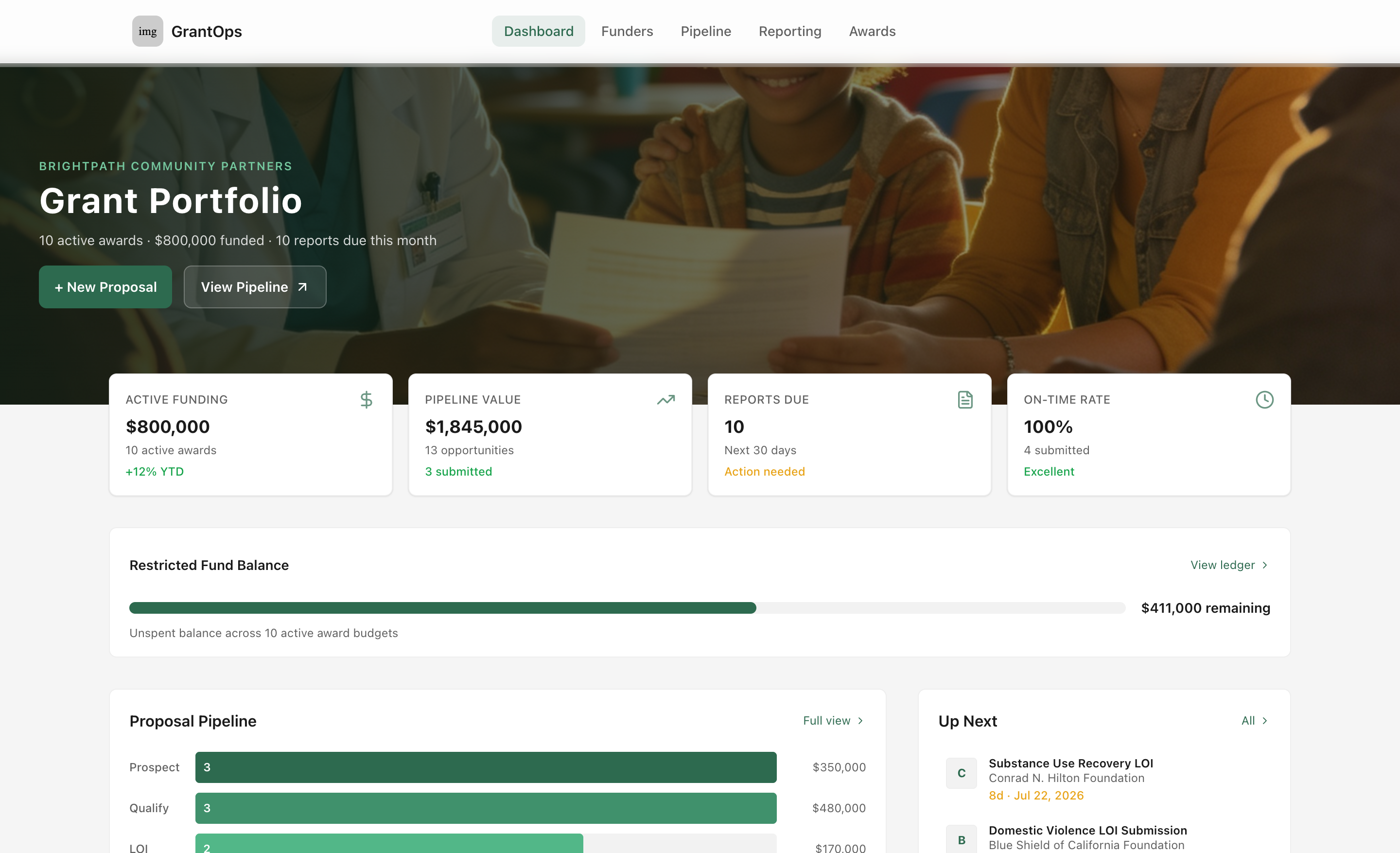
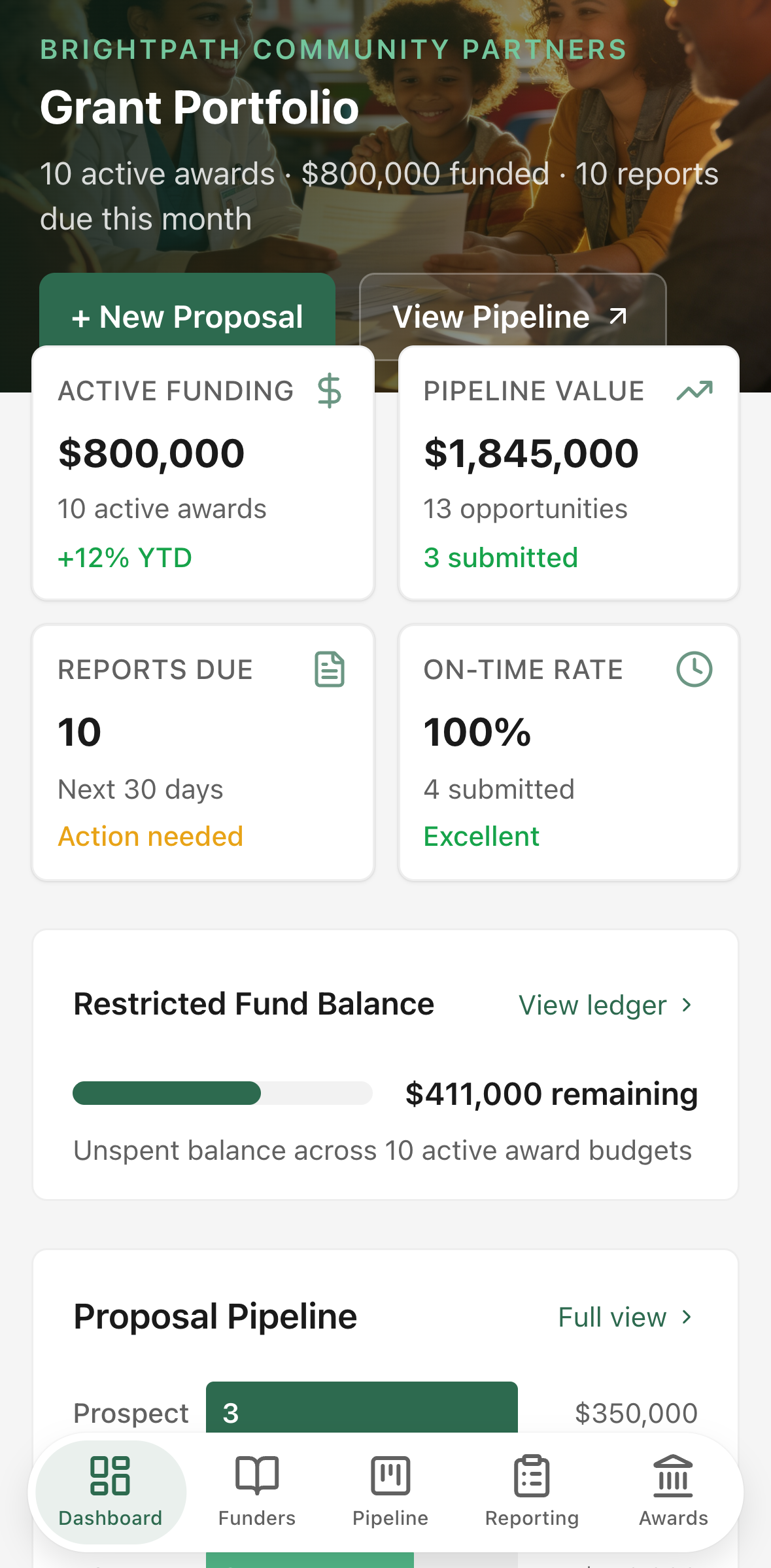
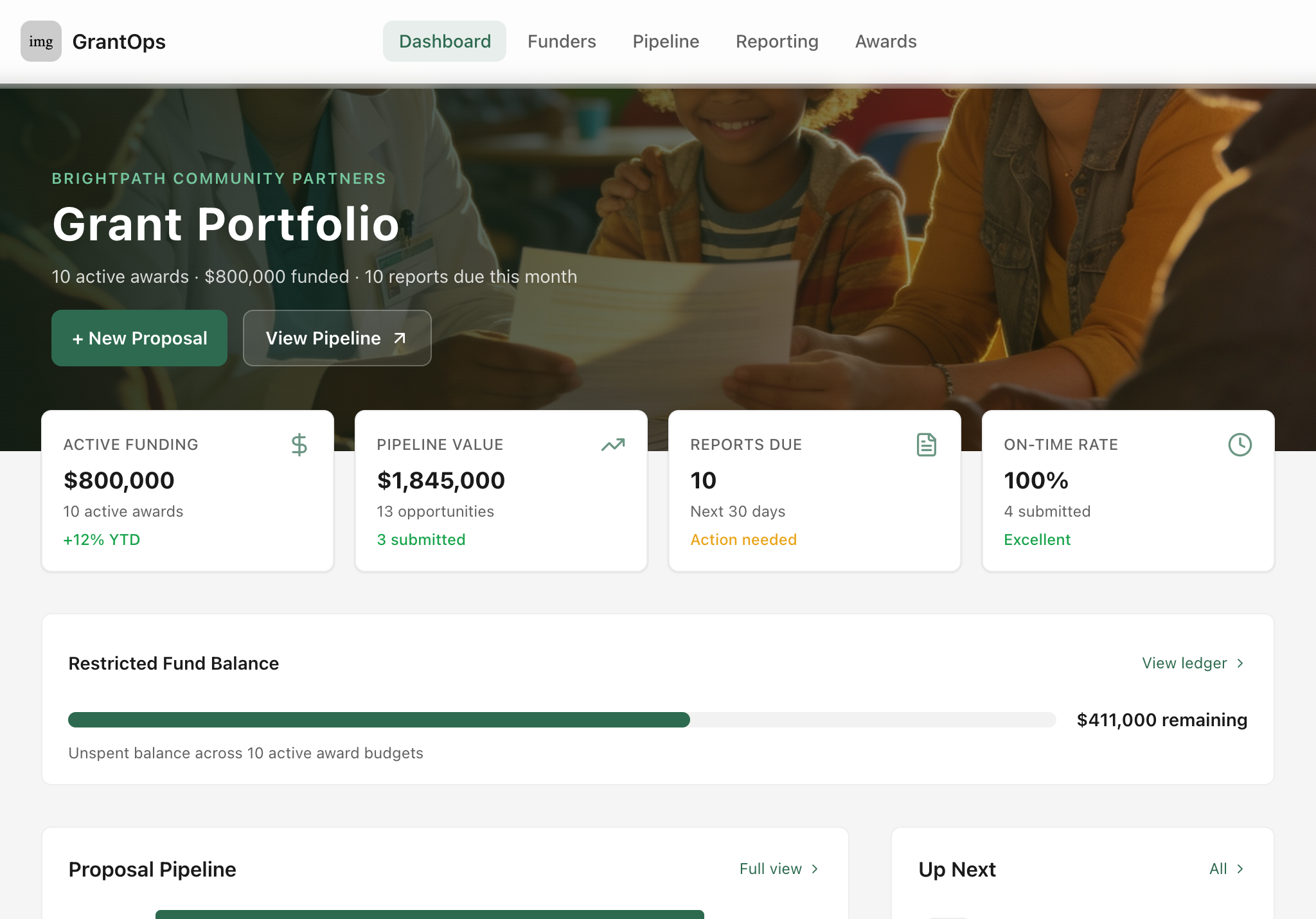
The landing screen gives the development director a single read on what matters right now: active award count and total funding, pipeline value across every stage, restricted fund balance, reports due in the next 30 days, and on-time reporting rate. A horizontal bar visualization shows how many opportunities sit at each pipeline stage and the dollar value behind them. An "Up Next" strip surfaces the nearest reporting deadlines with days-remaining counts so nothing sneaks up on the team.
Funder and opportunity directory
A searchable, filterable directory of every funder in your portfolio — foundation type, geography, giving range, grant cycle, mission-fit tags, and the primary contact. On desktop it renders as a dense scannable table; on mobile it becomes photo-led cards, one per funder. Each funder record shows the count of active and historical opportunities so you can see relationship depth at a glance.
Proposal pipeline
Every opportunity moves through a defined lifecycle: Prospect → Qualify → LOI → Draft → Submit → Award. A kanban board groups opportunities by stage with program photography, funder name, ask amount, and the next action due. A list view shows the same data in a sortable table for desk-based triage. New opportunities can be created from a structured form with sectioned fields for basics, pipeline stage, deadlines, mission-fit tags, and internal notes — no blank-slate guessing about what to capture.
Reporting calendar and deliverables queue
All reporting obligations — interim reports, final reports, milestone reports, financial reconciliations, site visits, renewal windows — live in one calendar view grouped by urgency: overdue, due this week, due this month, coming up, and submitted. Each deliverable shows its grant, funder, type, due date, internal review date, and the team member responsible. On mobile the queue renders as stacked cards with 44-point touch targets; on desktop it becomes a full table with urgency-tinted date cells.
Active awards and restricted fund ledger
Every awarded grant's budget lines are tracked in a per-grant ledger showing budgeted, committed, spent, and remaining amounts by restricted category — personnel, program delivery, evaluation, supplies, and indirect costs. A category-level bar chart shows spend rate across all active awards so the finance lead can spot a category running hot before it becomes a compliance issue.
Rich grant detail
Each grant has a tabbed workspace covering overview (program summary, next action, key dates, mission-fit tags, internal notes), budget (line-level spend with progress bars), reports (all deliverables for this grant with statuses and the AI draft action), impact (metrics, beneficiary stories, outputs, and outcomes with program photography), and activity log (timestamped record of who did what).
Impact evidence and outcome tracking
Program staff log outcome metrics, beneficiary stories, outputs, and outcome descriptions against each grant and reporting period. Photos from the field attach to each record. The impact tab on the grant detail page surfaces all of this — real numbers next to targets, quotes from the community, and the outputs that back up both — ready to inform the next funder conversation or report narrative.
The AI action: Draft funder update
On the Reports tab of any active award, a labeled Draft funder update panel synthesizes the grant's current data into a concise, reviewable funder communication. Staff select the report type — progress update, interim report narrative, final report narrative, or renewal inquiry — and click Generate Draft.
The action draws on:
- Budget progress: spending by restricted category against the budgeted amount, expressed as percentages
- Outcome metrics: the top recorded outcomes with values, targets, and units
- Milestones: the program's key dates and next actions
- Internal notes: the team's own narrative context about the grant
It returns a 200–300 word draft written in the voice of a skilled nonprofit development writer — factual, warm, and outcome-focused — formatted as plain paragraphs suitable for a program officer. Staff read the draft, edit freely, and choose what to send. The action reduces the time needed to translate program data into polished funder prose, without removing the human review that professional relationships require. An out-of-credits state is clearly surfaced with instructions to resolve it in the Glide dashboard, not buried in the UI.
Who it's for
Development directors, grants managers, program officers, and finance coordinators at nonprofits managing three or more concurrent funders. It works as a team tool — ownership, review assignments, and activity logs keep everyone accountable — and as a personal dashboard for a one-person development department that needs everything in one place.