Merchandising Command Center
Turn assortment and launches into retail growth
Preview



Overview
What this app does
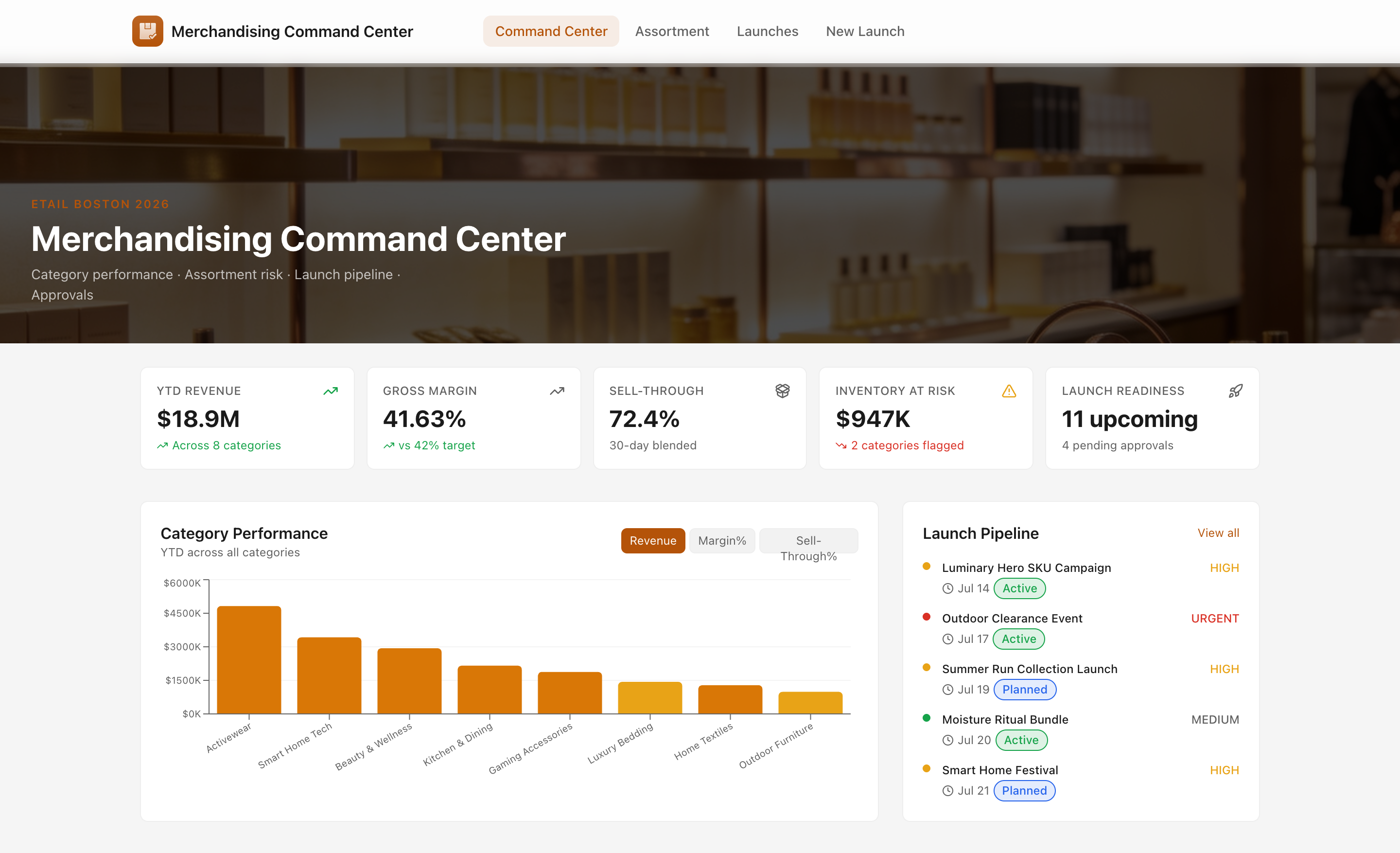
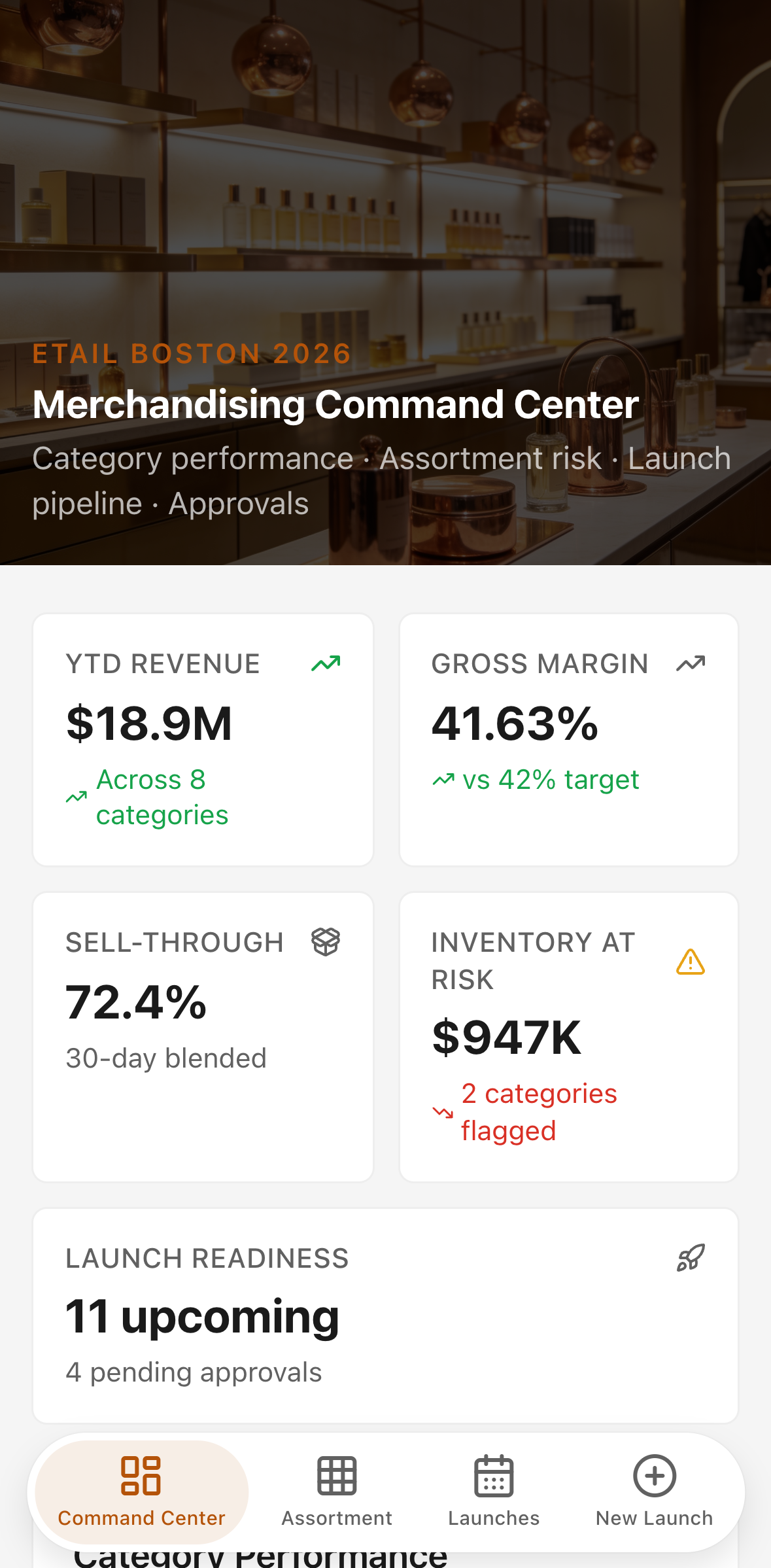
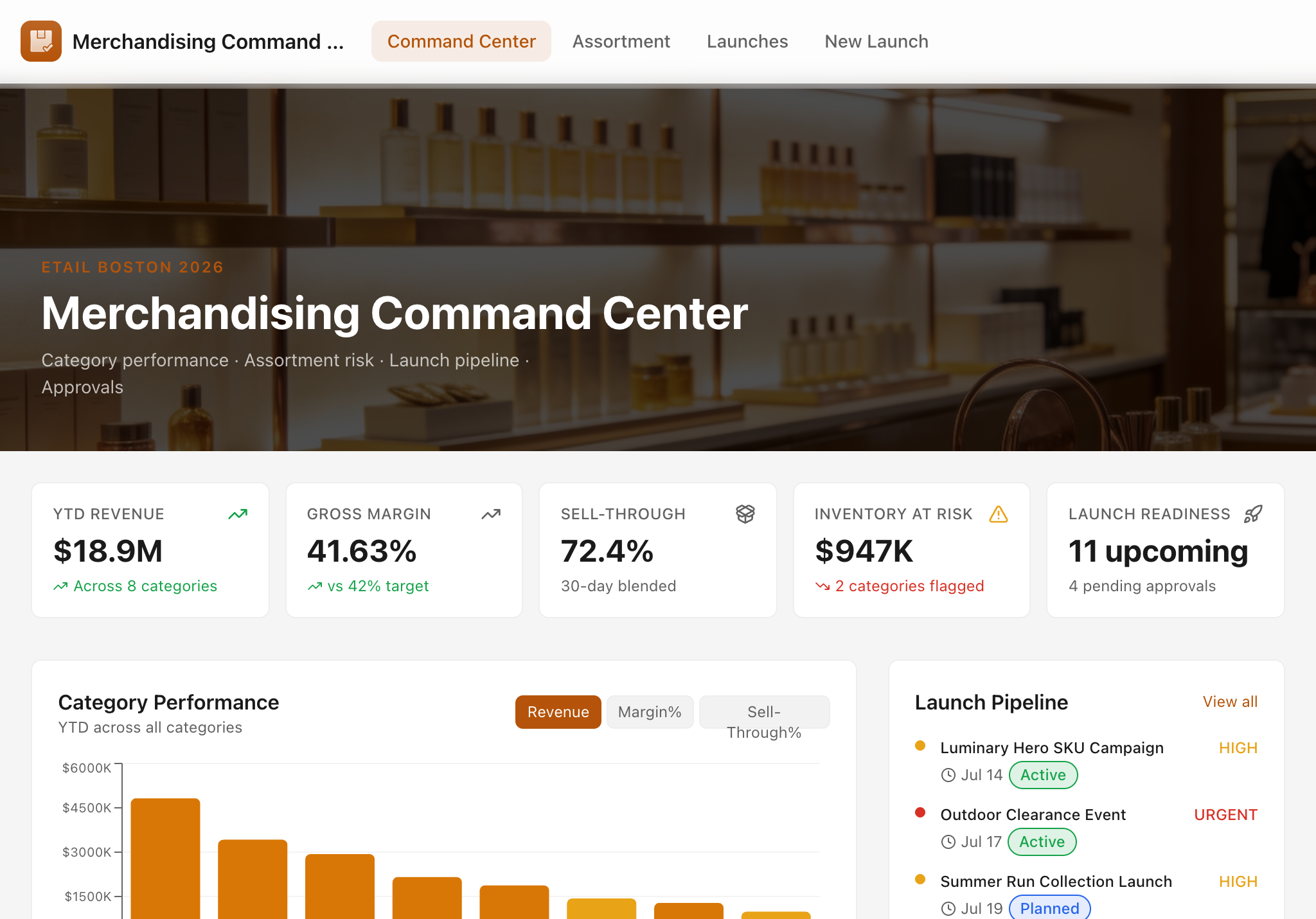
The Merchandising Command Center is a full operating system for retail category managers and ecommerce buyers. It replaces scattered spreadsheets and status emails with a single, always-current view of assortment health, launch pipeline, and approval status — built for teams preparing for high-stakes retail events like eTail Boston.
Five screens
| Screen | Purpose | |---|---| | Command Center | Hero dashboard: KPI cards, category performance chart, assortment risk list, launch pipeline, recent approvals | | Assortment Directory | Searchable, filterable SKU catalog with sell-through bars; desktop table collapses to mobile cards below 768 px | | Launch Calendar | List and Kanban board of all launches, promotions, markdowns, and seasonal events with budget and lift tracking | | SKU Detail | Full product view with performance tabs, inventory position, launch history, approval log, and AI assortment review | | New Launch / Promotion | Form to create any launch type linked to a live category and SKU |
AI action — Generate assortment review
The AI review is the centrepiece buyer workflow. It is accessible directly from the SKU Detail page via the "Generate Review" button in the AI Assortment Review panel.
Where it appears
- Route:
/skus/:id - Panel location: immediately below the product hero strip, above the performance tabs
- Trigger: primary
Buttonlabelled "Generate Review" (or "Regenerate" after a first run) - Helper copy visible before generation:
"Analyzes this SKU's sales velocity, margin health, sell-through, inventory exposure, launch calendar, and vendor context. Returns a concise review with risk flags, markdown or reorder recommendations, and prioritized next actions — ready to share with your team."
How it calls the backend
The button fires a POST to the real deployed endpoint at /app-api/ai/assortment-review — no mock, no static fixture.
POST /app-api/ai/assortment-review
Content-Type: application/json
Request body (input fields)
| Field | Type | Source | Description |
|---|---|---|---|
| entityType | string | hardcoded "SKU" | Tells the prompt whether the subject is a SKU or a category |
| name | string | sku.name | Full product name |
| category | string | sku.category_name (joined) | Category the SKU belongs to |
| ytdRevenue | number | units_sold_90d × retail_price | Estimated 90-day revenue proxy |
| margin | number | sku.margin | Gross margin % |
| sellThrough | number | sku.sell_through | 30-day sell-through rate % |
| inventoryValue | number | sku.inventory_value | Current on-hand inventory value in $ |
| unitsOnHand | number | sku.units_on_hand | Units currently in stock |
| reorderPoint | number | sku.reorder_point | Units threshold that triggers reorder |
| retailPrice | number | sku.retail_price | Current retail price |
| launchContext | string \| undefined | derived from launches[] | Bullet list of associated launches with type, date, status, and budget |
| vendorContext | string \| undefined | derived from sku.vendor_* | Vendor name, lead time, reliability score, payment terms |
| recentPromos | string \| undefined | optional — currently undefined | Reserved for future promo-history enrichment |
Response shape (output)
{ "review": "<markdown string>" }
On error:
{ "error": "out_of_credits" }   // HTTP 402 — org AI credits exhausted
{ "error": "<message>" }        // HTTP 500 — model or network failure
Markdown output structure
The model (anthropic/claude-sonnet-4-6, max 1 200 tokens) returns structured Markdown with five fixed sections, rendered inline in the panel:
## Summary
One or two sentences on the SKU's overall health.

## Performance Assessment
Bullet points: revenue trajectory, margin vs category benchmark, sell-through velocity.

## Key Risks
Bullet points: inventory exposure, pricing gaps, seasonality, competition, vendor risk.

## Recommendations
Numbered list — each item tagged: Markdown / Reorder / New Launch / Price Adjustment / Discontinue / Hold.

## Next Actions
| Action | Owner | Priority | Timeline |
Theme and token compliance
The AI panel uses only semantic tokens from lib/theme.ts (the project's sole colour source):
| Element | Token |
|---|---|
| Panel border | border-accent/30 |
| Panel header background | bg-accent/5 |
| Sparkles icon | text-accent |
| Generate button | variant="primary" (resolves to bg-accent text-accent-fg) |
| Section headings in output | text-primary |
| Body text in output | text-secondary |
| Error banner | bg-error-weak text-error |
| Out-of-credits banner | same error tokens |
No literal palette colours (stone-*, amber-*, white, black, gradient utilities) are used inside the panel itself — dark mode is fully supported by design.
Buyer outcome
A buyer opens a flagged SKU (sell-through < 55 %, inventory > $40 K), clicks "Generate Review", and within 5–10 seconds receives a board-ready memo that:
- Names the risk precisely — e.g. "37.9 % sell-through on a $44 K teak sectional with a 42-day lead time and no active markdown"
- Recommends a specific action — e.g. "Markdown 20 % immediately; if velocity does not recover within 14 days, escalate to 30 %"
- Produces a next-actions table with owner, priority, and timeline columns they can paste directly into a Slack message or Confluence page
The review replaces an ad-hoc analysis that would otherwise take 30–45 minutes of pulling data from separate systems.
Data model
| Table | Rows (seed) | Key fields |
|---|---|---|
| mcc_categories | 8 | division, buyer, YTD revenue, margin, sell-through, inventory at risk |
| mcc_skus | 24 | SKU code, brand, price, cost, margin, units on hand, sell-through, image URL |
| mcc_vendors | 8 | lead time, reliability score, payment terms |
| mcc_launches | 24 | type, start/end date, status, priority, budget, expected lift |
| mcc_approvals | 12 | type, status (pending / approved / in-review), submitted by, amount |
All tables live in the shared project Postgres database. Multiple apps in the project read the same tables — the mcc_ prefix avoids naming collisions.
Technology
- Runtime: Cloudflare Workers (Hono server + React SPA client)
- Database: shared Neon Postgres via
@neondatabase/serverlesstagged-template driver - AI:
anthropic/claude-sonnet-4-6via the platformaibinding and./aihelper - Charts: Recharts
BarChartwith semantic CSS variable fills (var(--color-accent),var(--color-border-weak)) - Design: Glide UI components (Button, Select, Input, Textarea, Tabs, Progress, Toast, Nav, Dialog); all colours through
lib/theme.tssemantic tokens - Mobile: mobile-first layout — tables become cards below
md, all filter selects stack and go full-width, 44 px touch targets throughout, hero capped at 40 vh on phone