Asset Manager
Track every asset, owner, location, warranty, audit, and handoff in one place
Preview



Overview
Why teams build this
Most organizations manage their physical assets across a patchwork of spreadsheets, paper sign-out sheets, and stale fixed-asset registers that nobody trusts. The result: assets go missing, warranties expire unnoticed, maintenance gets skipped, and auditors find discrepancies that take weeks to resolve.
Asset Manager replaces all of that with a single, searchable register that every member of your operations, IT, finance, or facilities team can use — on a laptop or a phone.
What's included
Asset Register
A fully searchable, filterable card view of every asset your organization owns. Filter by status (available, assigned, in maintenance, lost), category, location, condition, or warranty state. Each card shows the asset photo, tag number, current owner, book value, and any flags — overdue return, warranty expiring soon, or end-of-life.
Asset Detail
A complete record for each asset: photo, serial number, manufacturer/model, purchase price, straight-line depreciation and current book value, warranty expiry and provider, maintenance history, full assignment history with condition-in/condition-out, audit log, and lifecycle stage. Includes the Draft Asset Handoff AI action (see below).
Check In / Out
A mobile-friendly three-step flow for checking assets out to an employee or location and back in again. Captures expected return date, condition at checkout, and any notes. Step 3 offers Draft Asset Handoff — a one-tap AI-generated acknowledgment note the assignee can receive and sign off on.
Maintenance
Work orders grouped by urgency — overdue, in progress, scheduled, and completed. Each order tracks type (preventive, corrective, inspection, calibration, cleaning), priority (low → critical), due date, assigned technician, estimated and actual cost, and notes. Create new work orders from a dialog without leaving the page.
Audits
Audit campaigns with per-campaign completion progress, verified/missing/discrepancy counts, and mobile-friendly record cards. Log audit results directly in the app: select the asset, mark it verified, missing, or a discrepancy, record the condition found and where it was located, and sign with your name.
Warranty & Lifecycle
Three-tab view covering assets whose warranties expire within 90 days (with total at-risk book value), assets in aging or end-of-life lifecycle stages that are candidates for refresh or disposal, and all lost or retired assets removed from active circulation.
Dashboard
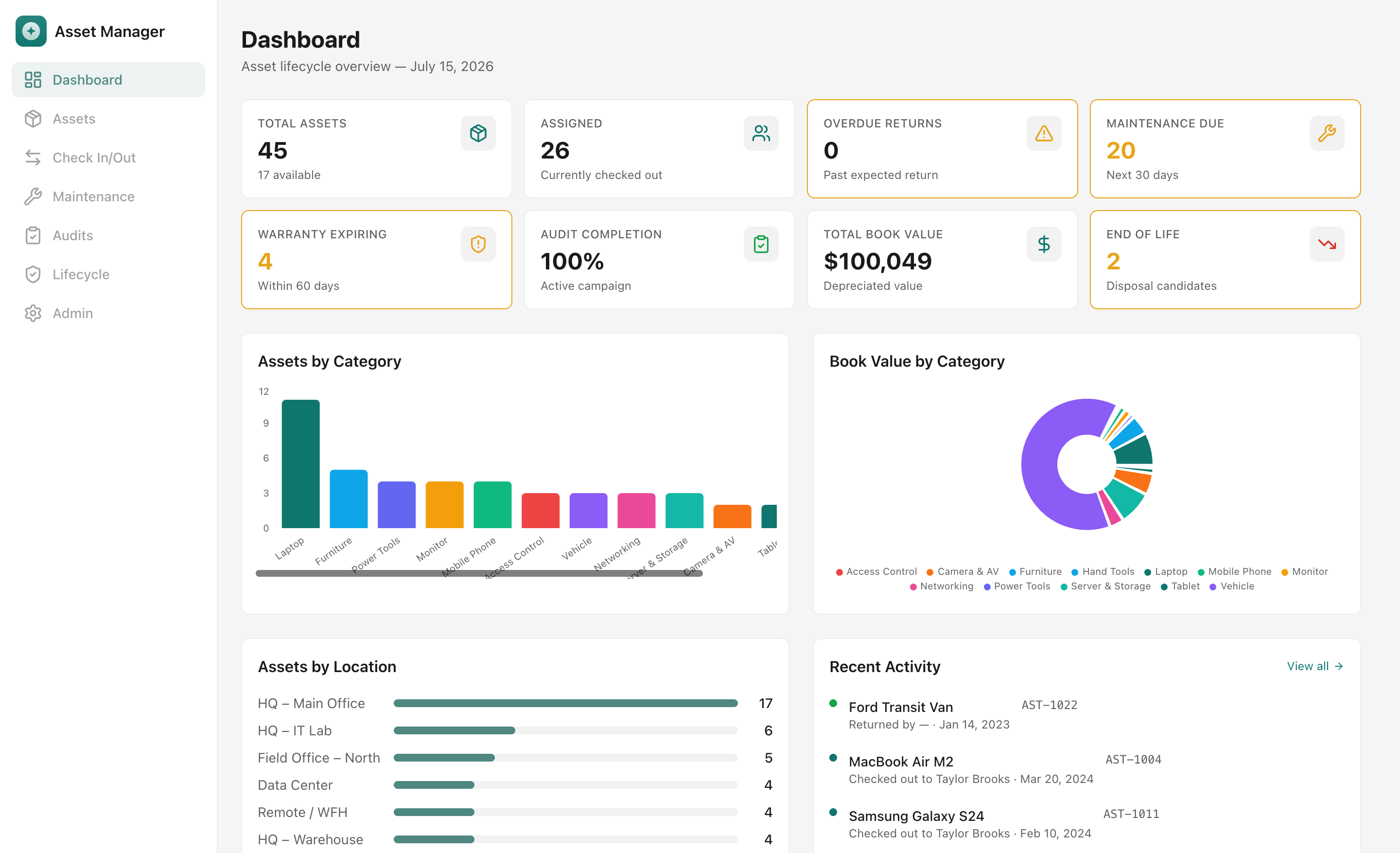
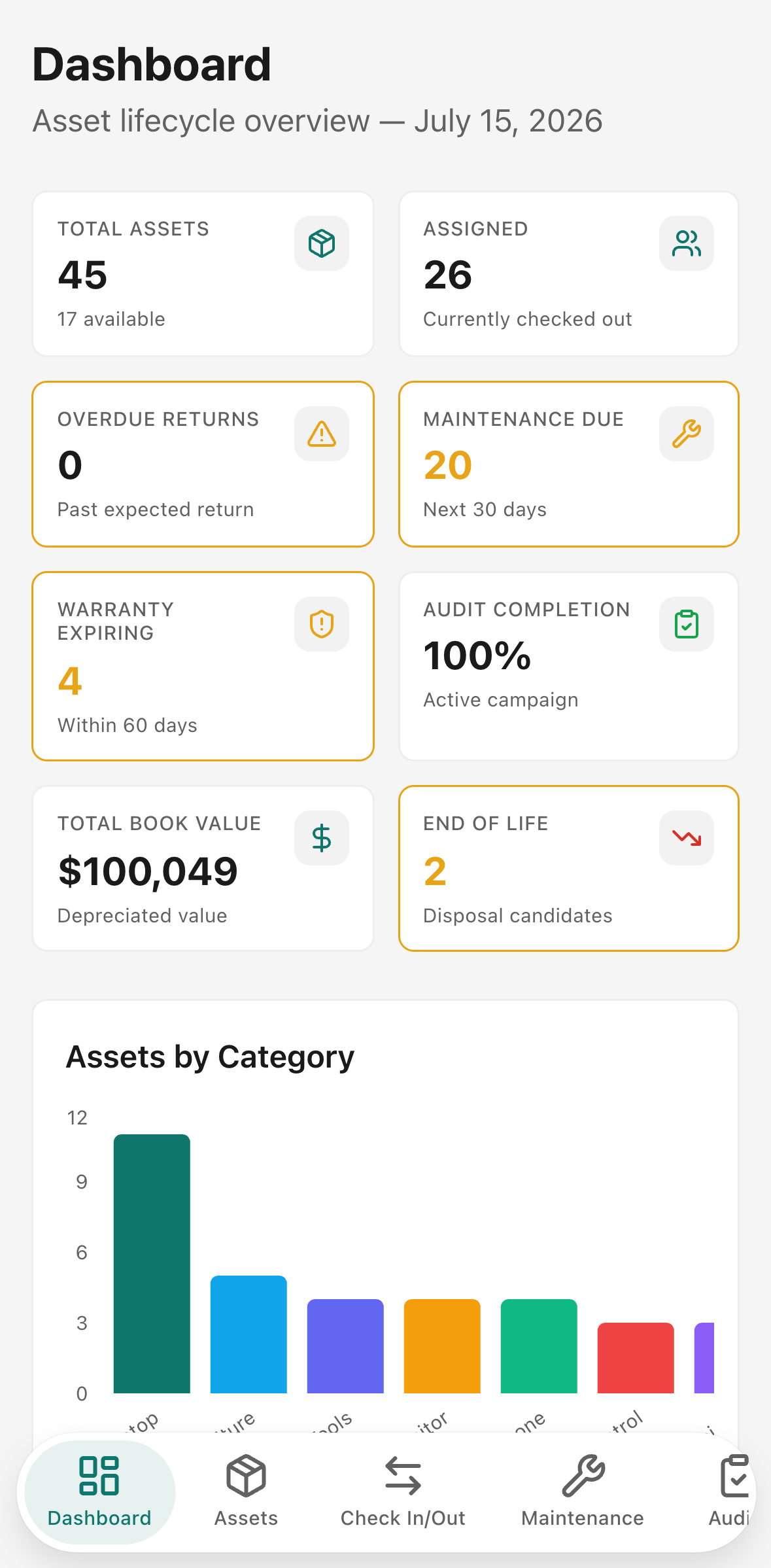
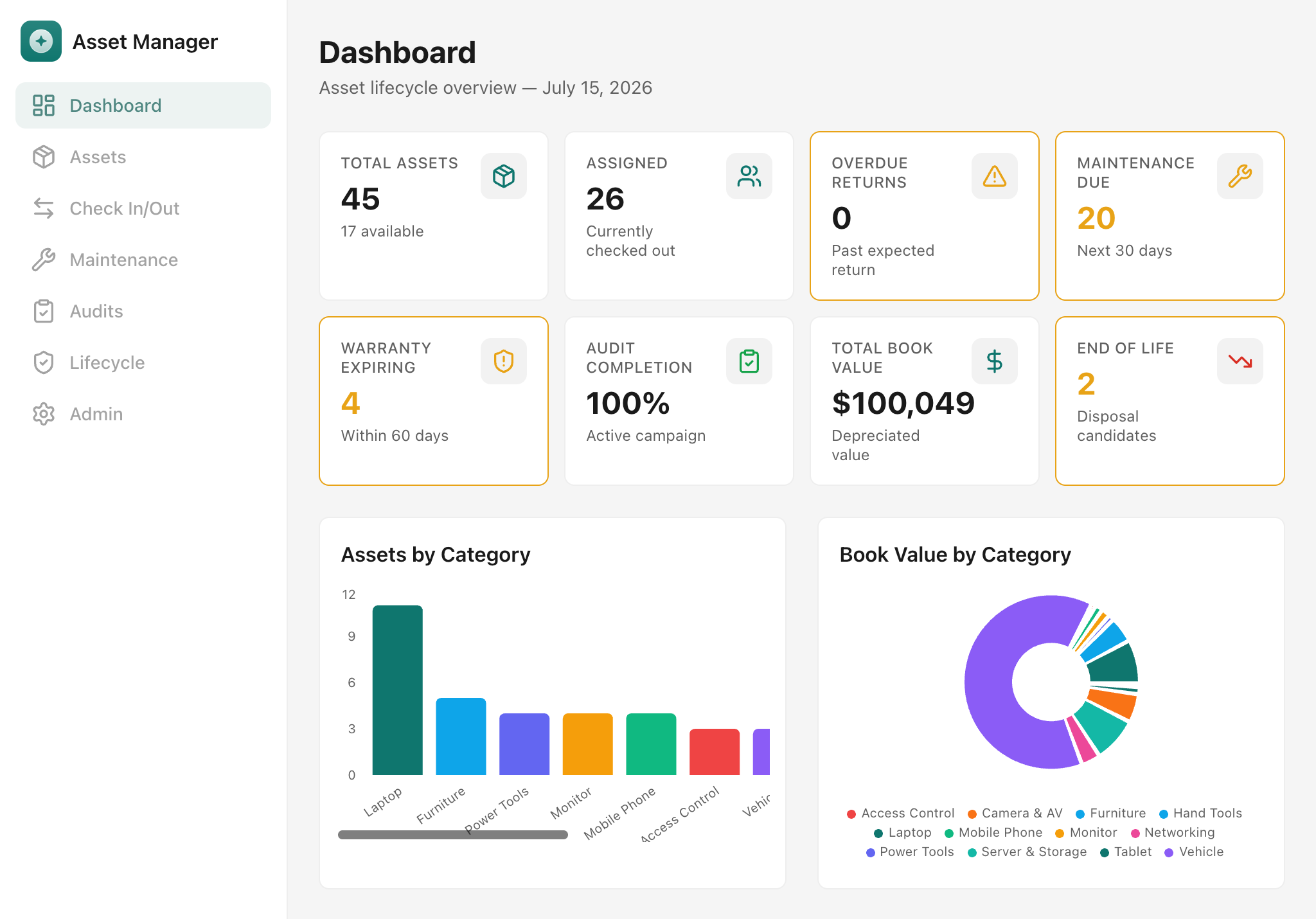
Eight KPI cards at a glance — total assets, assigned, overdue returns, maintenance due in 30 days, warranties expiring in 60 days, audit completion %, total depreciated book value, and end-of-life count. Supported by a category bar chart, book-value donut chart, per-location bar breakdown, and a recent check-in/out activity feed.
Admin
Manage the reference data that powers the whole app: asset categories, locations, employees/owners, and vendors/suppliers. Add new entries directly without touching the database.
Who it's for
- Operations managers overseeing shared equipment, tools, vehicles, and facility assets
- IT managers and help-desk teams tracking laptops, phones, tablets, monitors, network gear, and servers
- Finance teams who need audit-ready depreciation schedules, book values, and disposal candidates for fixed-asset reporting
- Office managers and facilities leads responsible for furniture, A/V equipment, access control devices, and fleet vehicles
Asset Manager works well for teams of 5 to 500+ people and any organization that issues physical assets to employees, departments, or field locations.
AI workflow — Draft Asset Handoff
This app includes a practical AI action that generates a professional asset handoff acknowledgment note for any assignment. It is not a chatbot — it reads real asset and assignment data and produces a concise, policy-grounded note in one click.
Where it appears
- Asset Detail → Handoff tab — generate a note for the asset's current assignment at any time.
- Check In / Out → Step 3 — generate a note as part of the checkout flow before confirming.
Inputs the AI uses
- Asset name, tag number, and serial number
- Assigned employee name and department
- Assignment location
- Condition at checkout
- Expected return date
- Warranty provider and expiry (if present)
- Maintenance notes (if present)
- A configurable policy context string (defaults to return-condition and damage-reporting rules)
Output
A 150–250 word professional acknowledgment note that opens with "Asset Handoff Acknowledgment:", names the asset and assignee, lists care and return responsibilities, mentions warranty and maintenance obligations where relevant, and closes with the expected return date and condition requirement.
Copy and regenerate
After generation, a Copy button puts the full note on the clipboard. Clicking Regenerate (or Generate again) produces a fresh variation — useful when the first draft needs a different tone or emphasis.
Out-of-credits state
If your workspace has exhausted its AI credits, the panel shows a clear message: "This workspace is out of AI credits. Buy extra credits or upgrade your plan in the Glide dashboard to continue." No silent failures or empty outputs.
Getting started
- Open Admin and verify or extend the pre-loaded categories, locations, employees, and vendors to match your organization.
- Add your assets — use the Asset Register page or import from a spreadsheet via the Glide Data Editor.
- Check assets out to the employees or locations that currently hold them, so the register reflects your real-world state from day one.
- Create an audit campaign in the Audits page and start logging results — the dashboard audit-completion card updates in real time.
- Set up maintenance work orders for any scheduled services coming up in the next 30–60 days.
- Review the Lifecycle page for assets with warranties expiring soon or candidates for refresh or disposal.
The app ships with 45 realistic demo assets (laptops, monitors, phones, tablets, networking gear, tools, furniture, vehicles, cameras, servers), 12 employees, 8 locations, 8 vendors, 15 maintenance work orders, and 2 audit campaigns — so every screen is fully populated out of the box.
Technical notes
- All asset values use straight-line depreciation:
book value = max(salvage value, purchase price − (purchase price − salvage value) ÷ useful life × age in years). - Audit completion % is live-calculated against the active audit campaign.
- Overdue returns flag any assigned asset whose expected return date is in the past.
- Warranty expiry signals turn amber at 60 days and expire silently (no re-alert) past the date.
- The AI handoff action uses Claude claude-sonnet-4-6 via the Glide AI binding and requires AI credits on your plan.