July 27, 2026
Introducing Workflows: describe the automation, Glide builds it
Now you can ask GlideOS to build automations that make your apps run autonomously. Describe the process you want handled, and GlideOS turns it into a workflow that lives in your Project folder as an accessible artifact.
Once you've built a workflow, you can simply prompt to make any changes to it.
Four ways to start a workflow:
- Schedule
- Webhook
- Trigger
- Manual
A single workflow can support multiple triggers, each with its own on/off toggle, so you can turn one trigger off without affecting the rest.
A screen for every workflow, and a full record of every run
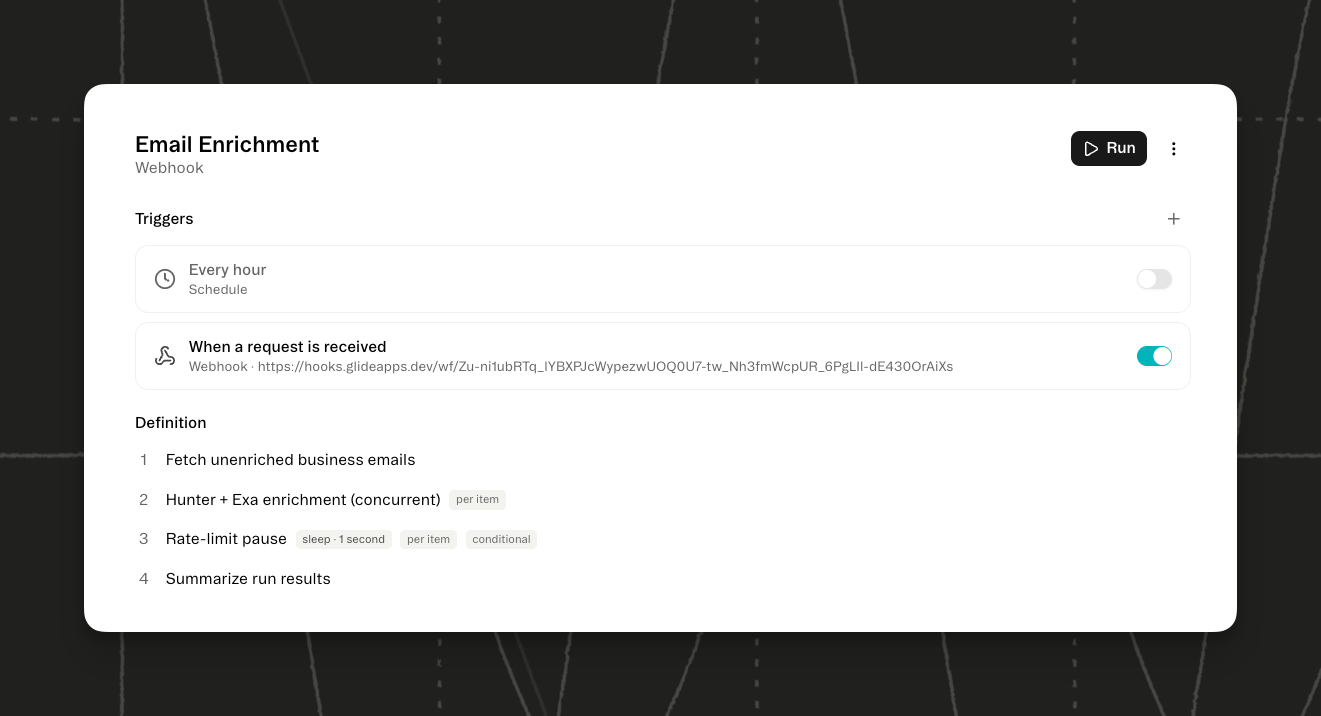
Every workflow gets a screen in your project, which, when opened, lists each step in order with a plain sentence explaining what it does. You can also inspect your workflow runs, so you can see exactly what happened when a run doesn't go the way you expected.
Ask GlideOS to build a workflow automation for your apps today.
Read Documentation