Week of September 28, 2026
Workflow costs at a glance, simpler team roles, and 19 smaller improvements and fixes.
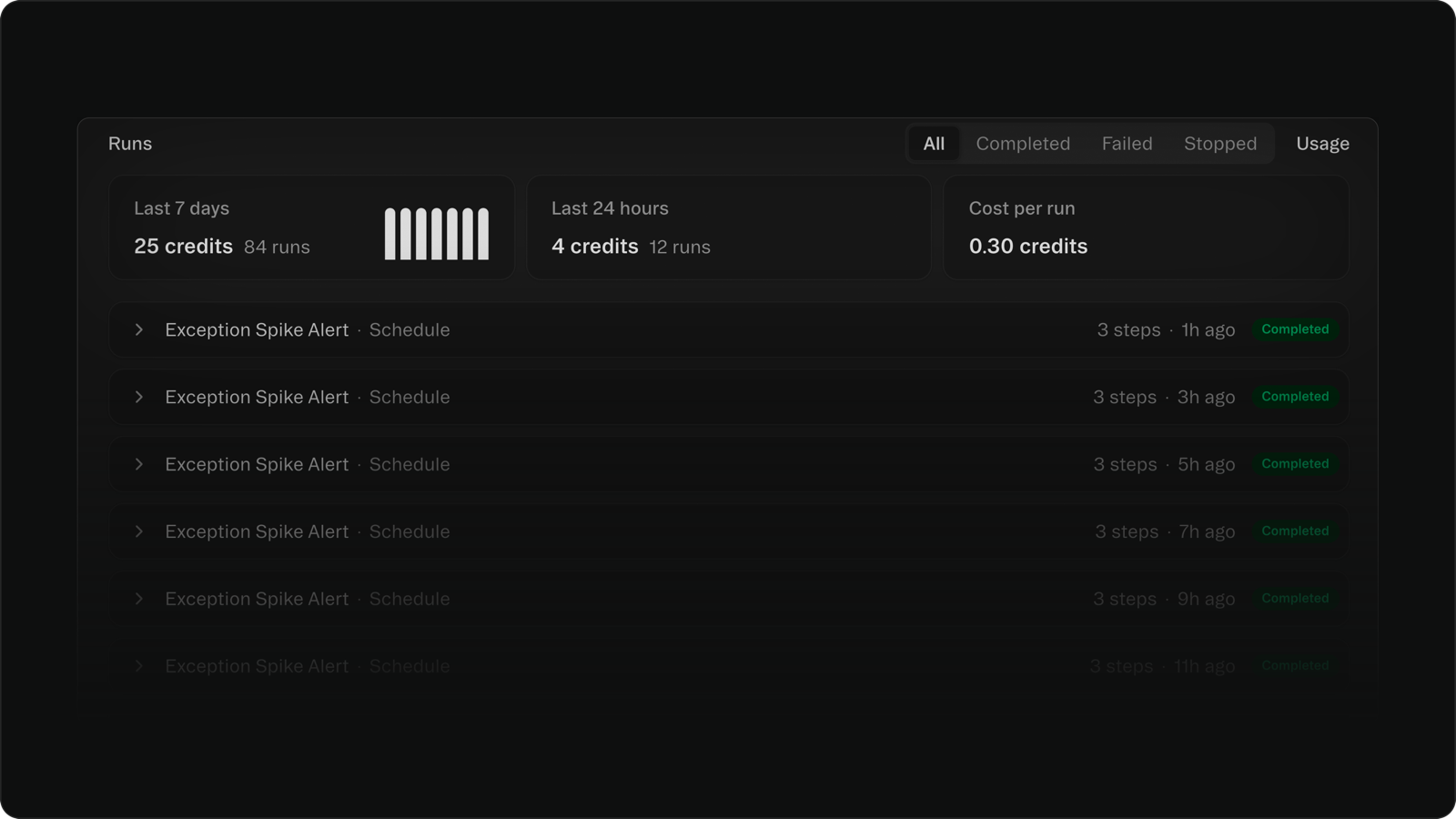
See what each workflow costs
A workflow's page now shows its credits for the last 7 days and the last 24 hours, plus its cost per run. Hover the 7-day total to split it into steps, AI, and integrations.
Four clear roles in Members
Settings now has one Members tab where everyone has one of four roles: Owner, Full access, Editor, or Viewer. You pick the role when you invite someone, and a project's Access panel says plainly when everyone in your organization can open it.
Improvements
- The Integrations page in your sidebar marks each connected tool and lists the projects using it.
- Delete your account yourself from Settings, under Profile, with no support ticket needed.
- Ask the agent to find a project and it searches inside your apps and chats too, not just project names.
- When the agent reads a spreadsheet, it sees the drawings, arrows, and text boxes on top of the cells.
- If a mockup's connection drops mid-draw, it now tries again on its own.
- "Add to favorites" on an app pins it to your own sidebar, and the team-wide option is now "Add to team favorites."
- Pages below your home show a breadcrumb with a Home link, and on desktop the header gets a frosted background as you scroll.
- Empty sections on a project's overview show what to do next.
- The setup wizard no longer asks new users to pick a template.
- When you hit your workflow limit, the agent now tells you which of this project's workflows are using your slots.
Fixes
- Connecting Outlook, Excel, OneDrive, Supabase, WhatsApp, and other sign-in integrations works again.
- Fixed an error that could stop the agent partway through a reply.
- Fixed apps that use certain code packages failing to start after publishing.
- Fixed newly published apps that could stay closed to signed-in users until you published again.
- Fixed workflow triggers and schedules hanging; a run that can't start now fails quickly so it can be retried.
- Signing up after starting a build on the Glide website now keeps you in that build.
- Voice input on a browser that doesn't support it now says so, instead of reporting that microphone access was denied.
- A newly built app now opens in your preview on desktop, even when the agent builds it over several steps.
- Fixed usage graphs showing different credit totals from your Usage page.
- Numerous performance, security, and agent improvements behind the scenes.